 Auto History Wipe
How Long Chrome Keeps History — and How to Shorten It
Written by Jem Jack · Published September 21, 2026
Chrome does delete your browsing history on its own, but slowly. If you have wondered how long Chrome keeps history, the short answer is 90 days on your computer. After that, the oldest entries drop off automatically. There is a catch, though: if you sync Chrome with a Google account, a second copy can live on for months or years. This guide covers both copies and how to shorten each one.
How long does Chrome keep history on your computer?
Chrome’s local history, the list you see at chrome://history, covers roughly the last 90 days. Google’s own help page describes the History page as the pages you visited in that window. Anything older is removed automatically. There is no setting to extend it and no hidden flag to get it back.
So yes, Chrome history does delete itself. But 90 days is a long time. Three months of searches, shopping, banking and health lookups is plenty for anyone who sits down at your computer.
What stays longer: your Google account copy
If you are signed in to Chrome with sync turned on, your history can also be saved to your Google account under Web & App Activity. That copy follows your account’s auto-delete setting, not Chrome’s 90-day window. The options are to keep activity until you delete it, or to auto-delete it after 3, 18 or 36 months. Many newer accounts default to 18 months. Older accounts are often set to keep everything.
That is why people are sometimes surprised to find years-old searches in their Google search history long after Chrome itself has forgotten them.
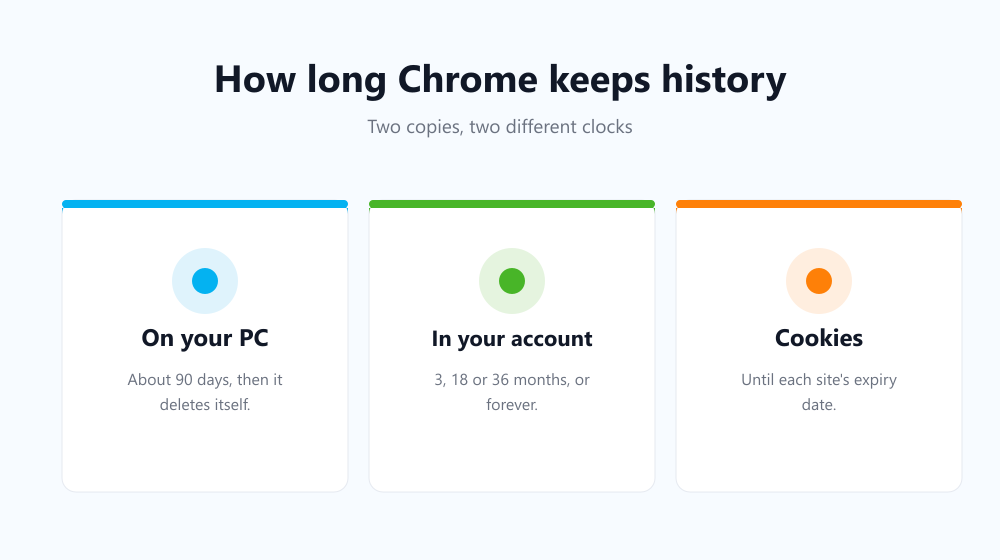
How long Chrome keeps each type of data
History is only one of the things Chrome stores, and each type has its own lifespan:
| Data | How long it stays | What removes it |
|---|---|---|
| Browsing history (local) | About 90 days | Chrome, automatically |
| History synced to Google | 3, 18 or 36 months, or forever | Your account’s auto-delete setting |
| Cookies | Until the expiry date each site sets, often a year or more | You, or a clean-up tool |
| Cache | Until Chrome needs the disk space | You, or a clean-up tool |
| Download list | Until you clear it | You, or a clean-up tool |
Cookies are the ones that matter most for tracking. A 90-day history limit does nothing about a login or advertising cookie set to last two years. See cookies vs cache vs history for what each one actually does.
How to shorten how long Chrome keeps history
You can’t change Chrome’s 90-day window, but you can make the real lifespan much shorter:
- Clear it by hand. Press Ctrl + Shift + Delete (Cmd + Shift + Delete on a Mac), pick a time range and choose what to delete.
- Set your Google account to auto-delete. In your Google Account, open Data & privacy, then Web & App Activity, then Auto-delete, and choose 3 months.
- Clear cookies when Chrome closes. Under Privacy and security, then Third-party cookies or Site settings, you can have Chrome delete site data every time you close all windows. This covers cookies, not history.
- Automate the whole job. A clean-up extension can clear history, cookies and cache on a schedule you choose.
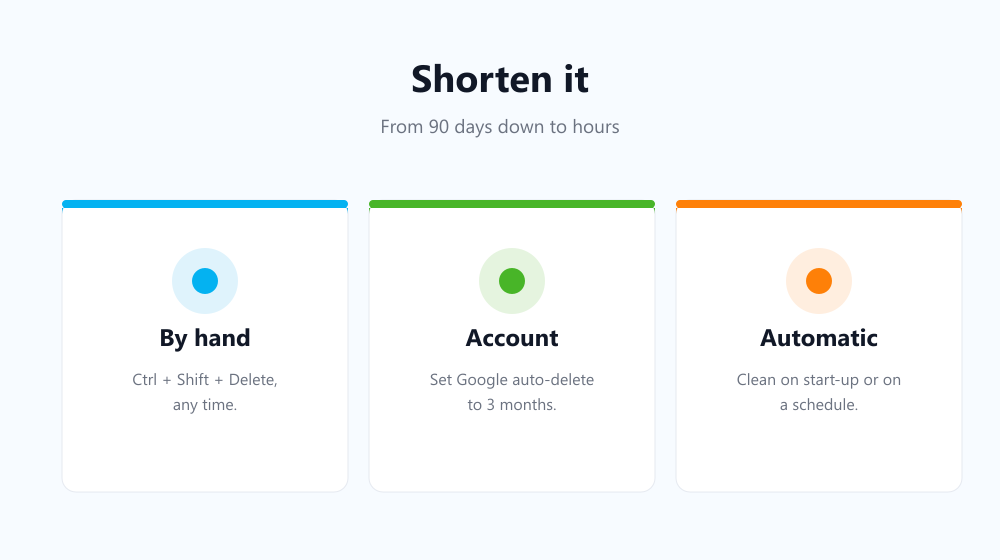
Keep Chrome history for hours, not months
If three months is too long, let a tool handle it for you. Auto History Wipe clears your history, cookies, cache and download list every time Chrome starts, or on a schedule: every hour, every 12 hours, daily or weekly. You pick the time range and the data types. Sites you whitelist or bookmark keep their cookies, so you stay signed in where it matters. For the built-in options, see how to delete browsing history in Chrome automatically.
Frequently asked questions
Does Chrome history delete itself?
Yes. Chrome removes local history entries older than about 90 days on its own. Your Google account copy, if you sync, follows a separate auto-delete setting.
Can I see Chrome history older than 90 days?
Not in Chrome itself. If Web & App Activity was on, older visits may still appear in Google My Activity, depending on your auto-delete setting.
Does Incognito history count toward the 90 days?
No. Incognito windows don’t save history at all, so nothing from them appears in the list. See what Incognito really hides.
Does clearing history on one device clear it everywhere?
If sync is on, clearing history in Chrome also removes it from your other synced devices and your Google account. If sync is off, it only affects that one computer.
Now you know how long Chrome keeps history: 90 days on the device, and often far longer in your account. Set the account copy to auto-delete, clear the rest on a schedule, and your history will only last as long as you want it to.